

We may earn a commission when you buy through links on this page, at no extra cost to you. Learn more.
The correct Cuisinart wine opener charger depends on your opener’s model number, because different Cuisinart models use different charging adapters and bases. For the CWO-25, Cuisinart identifies replacement adapter CWO-25ADPTR and charging base CWO-25BASE. Before ordering either component, identify your opener and determine whether the problem comes from the adapter, docking base, electrical connection, or rechargeable battery.
A cordless wine opener is convenient until it stops charging. The challenge with Cuisinart replacement parts is that an adapter that looks similar to the original is not necessarily electrically or mechanically compatible. The CWO-25, CWO-50, and CWO-240WS illustrate why model-specific identification matters: their charging arrangements, indicator lights, and published charging instructions differ. This review explains the replacement options, what each component does, how to troubleshoot charging problems, and when replacing the charger makes more sense than replacing the entire opener.
Specs and Key Features of Cuisinart Wine Opener Chargers
Cuisinart sells charging equipment as separate components for certain electric wine opener models. The CWO-25 is particularly straightforward because its manufacturer parts listing identifies both the replacement adapter and charging base by individual part number.
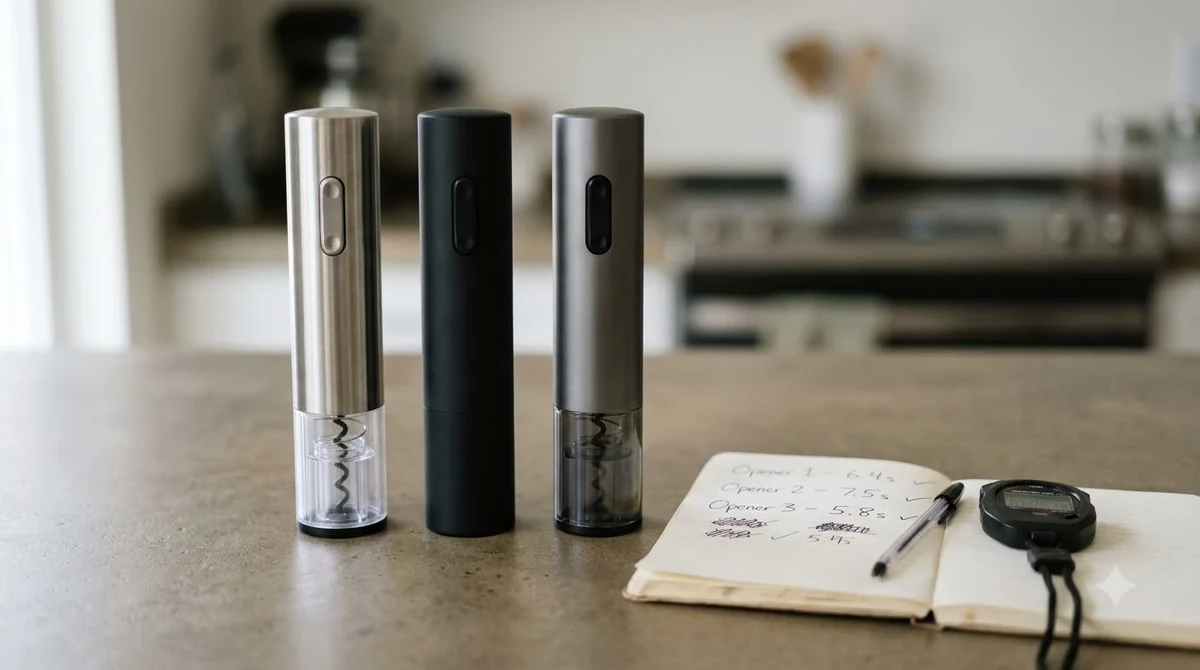
The distinction between these components is important. The adapter supplies electrical power, while the base holds the opener and provides the charging connection. A failure in either component can produce similar symptoms, such as an opener that does not accumulate enough charge or shows no expected charging indication. Buying the wrong component can leave the original problem unresolved.
The following table summarizes the documented differences between several Cuisinart models. These figures describe the individual opener models, not universal charger specifications.
| Model or component | Part number or identification | Documented charging information | Published capacity |
|---|---|---|---|
| CWO-25 power adapter | CWO-25ADPTR | UL power adapter | Not applicable |
| CWO-25 charging base | CWO-25BASE | Dedicated docking base | Not applicable |
| CWO-25 opener | CWO-25 | Approximately 12-hour initial charge | Up to 50 bottles |
| CWO-50 power adapter | UL adapter listed separately | Model-specific charging equipment | Not applicable |
| CWO-50 charging base | Charge base listed separately | Rechargeable base unit | Not applicable |
| CWO-50 opener | CWO-50 | Rechargeable NiMH battery pack | Up to 80 corks |
| CWO-240WS opener | CWO-240WS | Approximately 8–10 hours for initial charging | Approximately 120 bottles |
The CWO-25 specifications and replacement part numbers come from Cuisinart’s official CWO-25 parts and accessories listing. The CWO-50 figures come from the manufacturer’s discontinued-product information, while the CWO-240WS charging figures come from its instruction booklet.
One important limitation applies to this comparison: the bottle-opening capacities describe the openers’ batteries and mechanisms. They do not indicate that a replacement adapter has a particular charging speed or that adapters can be exchanged between models. Cuisinart does not establish universal compatibility across these three products.
For an owner of a CWO-25, the strongest starting point is the exact replacement part number rather than a generic search for a Cuisinart electric wine opener power cord. For a CWO-50 or another model, use its own parts documentation instead of assuming the CWO-25 components will fit.
What Owners Should Know About the Adapter and Charging Base
A Cuisinart wine opener charging system has two distinct jobs: supplying electricity and transferring that electricity into the opener. The adapter connects to the household outlet, while the charging base supports the opener and aligns its charging contacts.
The CWO-25 parts listing makes this separation clear by identifying CWO-25ADPTR and CWO-25BASE as two different replacement items. This is useful when diagnosing a fault because a failed power adapter does not automatically mean the base also needs replacement. Likewise, an intact adapter cannot compensate for damaged or poorly aligned charging contacts.
The power adapter
The adapter is the electrical supply component. It connects to the rear of the CWO-25 charging base, and the base distributes power through its charging connection. A damaged cable, loose connector, bent plug, or visibly compromised adapter should be treated as a reason to stop using the equipment until the correct replacement is obtained.
Do not select a substitute solely because its connector fits. Electrical characteristics, connector polarity, output requirements, and the manufacturer’s compatibility requirements all matter. A physically compatible plug does not prove that the replacement supplies the correct power.
The CWO-25 instruction booklet specifies a 120-volt appliance supply and directs owners to use the supplied power adapter. It also warns against opening the appliance or charging base because these components do not contain user-serviceable parts. That is a strong reason to avoid improvised electrical repairs.
The charging base
The charging base provides a stable docking position and the electrical connection needed to recharge the opener. On the CWO-25, the adapter plugs into the back of the base, and the opener must sit firmly in position to engage the charging connection.
A base can become problematic if its charging contacts are dirty, damaged, or obstructed. It can also be difficult to diagnose a base fault when the adapter itself is not supplying power. Testing the system therefore requires checking both components rather than immediately purchasing a complete replacement set.
The base also has a practical storage function. It gives the opener a designated resting position, reducing the chance that the appliance will be left loose in a drawer where its charging connection or corkscrew mechanism could be damaged.
Why the two components should not be confused
Some online replacement listings use broad descriptions such as charger, charging station, power cord, or charging dock. Those terms are not interchangeable. A replacement adapter may include an electrical cable and plug without including the dock. A replacement base may be sold without the power adapter.
Before purchasing, compare the listing’s included components with the part you actually need. For a CWO-25, the distinction between CWO-25ADPTR and CWO-25BASE is especially helpful. If both parts are missing or damaged, verify that the replacement order includes both rather than assuming one listing supplies a complete charging system.
Common Complaints and Charging Problems
The most frustrating charging problems are often difficult to distinguish because several faults can produce the same result. An opener that does not charge might have a disconnected adapter, an incorrectly seated base connection, dirty contacts, a damaged charging dock, or a battery that no longer holds a useful charge.

Indicator lights can help, but their behavior is model-specific. The CWO-25 manual says its blue charging light remains illuminated during charging, even when the battery is fully charged. By contrast, the CWO-240WS manual describes a green light that flashes while charging and becomes solid green when charging is complete.
The opener does not show a charging light
Start by checking the electrical outlet with another suitable household device. If the outlet works, inspect the adapter cable and connector for visible damage. Confirm that the adapter is firmly connected to the charging base and that the opener is seated correctly.
Do not repeatedly force the opener into the dock. A charging connection should engage through the intended positioning of the appliance. Excessive pressure can damage the contacts or housing and turn a relatively simple problem into a more expensive repair.
If the outlet, adapter connection, and docking position appear correct but the expected indicator remains absent, the next step is to identify which component is faulty. A compatible replacement adapter may be appropriate if the original adapter has failed, but replacing the base may be necessary if the docking connection is damaged.
The light stays illuminated
A permanently illuminated indicator is not necessarily evidence of a malfunction. The CWO-25 manual specifically describes a blue light that stays on throughout charging, including after the battery has reached full charge.
Owners should not apply the indicator behavior of one Cuisinart model to another. The CWO-240WS has a different green-light pattern, with flashing indicating charging and a steady light indicating completion. Understanding the correct pattern prevents unnecessary purchases and avoids misdiagnosing a normal charging cycle.
The opener charges but quickly loses power
When an opener appears to charge normally but has insufficient power after being removed from the dock, the rechargeable battery may be the underlying problem. A replacement adapter cannot necessarily solve a battery that has deteriorated or lost its ability to retain charge.
Consider the opener’s age, frequency of use, and charging history. If the unit has been sitting unused for a long period, follow its specific manual before deciding whether the battery or charging equipment needs attention.
The CWO-50, for example, uses a NiMH battery pack, while the manufacturer identifies its charging base and adapter as separate replacement accessories. The existence of these replacement parts does not mean every battery-related problem can be solved by buying a new dock.
The opener sits unevenly in the base
Correct positioning is essential for a charging connection that relies on physical alignment. Inspect the base for foreign material, damaged plastic, or visible obstruction around the docking area. Also examine the lower part of the opener for dirt or damage without attempting to disassemble the appliance.
A loose or unstable fit may indicate a damaged base or a problem with the opener’s docking area. If the appliance no longer seats correctly, do not attempt to hold it in place with tape, improvised spacers, or pressure from another object. Obtain guidance from Cuisinart before replacing parts.
Tip: Identify the model number before ordering anything. For the CWO-25, CWO-25ADPTR identifies the power adapter and CWO-25BASE identifies the charging base. A matching part number is more reliable than a photograph or a generic description such as universal Cuisinart charger.
Who Should Buy and Who Should Skip a Replacement Charger
A replacement Cuisinart wine opener charger makes the most sense when the opener itself remains functional and the fault has been traced to the original adapter or charging base. It is less attractive when the battery has deteriorated, the opener has extensive physical damage, or the required parts cannot be confirmed.
For an owner of the CWO-25, the availability of separately identified replacement components makes a targeted repair a reasonable first consideration. Cuisinart’s listing includes both the adapter and charging base, allowing the owner to investigate a single failed component rather than automatically replacing the entire appliance.
Buy a replacement adapter if the power supply is faulty
An adapter replacement is appropriate when the original supply has visible cable damage, a compromised plug, or another confirmed electrical fault. The CWO-25 owner should look specifically for CWO-25ADPTR rather than choosing an adapter based only on appearance.
Before purchasing, confirm that the listing describes the actual adapter and not a charging base. Also verify that the replacement is intended for the exact model and electrical configuration. A listing with a generic Cuisinart label but no model compatibility information deserves additional scrutiny.
Buy a replacement base if the docking station is faulty
A new base may be the better choice when the adapter is working but the charging dock has damaged contacts, a broken housing, or a connection that no longer holds the opener securely. The CWO-25 replacement base is identified by Cuisinart as CWO-25BASE.
This option is particularly relevant when the opener itself still operates normally after charging but has difficulty making a reliable connection in its existing dock. A damaged dock should not be repaired with household adhesives or makeshift electrical contacts.
Consider skipping the repair when the battery is the problem
If the opener receives power but cannot retain enough charge for normal operation, the battery may be the issue. Replacing the adapter or charging base without confirming the fault can result in spending money without restoring useful performance.
The same consideration applies when the opener has a damaged motor, faulty controls, or a worn corkscrew mechanism. An accessory replacement is not a substitute for a complete appliance repair.
Look at the complete wine-opening setup
Owners who regularly open bottles may prefer to keep a manual corkscrew available as a backup. A simple wine bottle opener keychain is useful for travel and occasional situations where a rechargeable appliance is unavailable.
For home entertaining, a wine opener and preserver set can provide a more complete arrangement for opening and storing unfinished bottles. However, it is not a direct replacement for a failed Cuisinart charging component. Choose the accessory according to its function rather than expecting it to solve an electrical problem.
How It Compares to Alternative Cuisinart Charging Systems
Cuisinart’s electric wine openers do not all share identical charging arrangements. The CWO-25, CWO-50, and CWO-240WS demonstrate differences in their charging instructions, battery performance claims, and indicator-light behavior.
These differences make model identification more important than choosing a charger based on the Cuisinart name alone. The replacement part should be selected for the exact appliance, not simply for the general product category.
CWO-25 versus CWO-50
The CWO-25 is a stainless-steel electric wine opener with a dedicated charging base. Cuisinart lists up to 50 bottle openings per full charge and identifies the replacement adapter and base separately.
The CWO-50 has a different arrangement, with a rubberized handset, NiMH battery pack, rechargeable base, foil cutter, and vacuum sealer. Cuisinart describes its capacity as up to 80 natural or synthetic corks on one full charge.
The manufacturer also lists separate replacement charging equipment for the CWO-50. However, the existence of replacement components for both models does not establish cross-compatibility. Owners should match the adapter and base to their particular appliance.
CWO-25 versus CWO-240WS
The CWO-240WS has a different documented charging procedure and indicator system. Its manual recommends an initial charge of at least 10 hours, describes an approximately 8–10-hour first charging period, and estimates up to 120 bottle openings on a full charge.
Its green indicator flashes while charging and becomes solid green when the battery is fully charged. This differs from the CWO-25’s blue indicator, which remains illuminated during charging even when the battery is full.
These differences matter because charging times and indicator behavior are not universal across Cuisinart openers. A CWO-240WS instruction should not be treated as the operating specification for a CWO-25 or CWO-50.
Manual versus electric wine openers
A manual corkscrew avoids charging equipment altogether. It can be a sensible backup for a household that opens only a few bottles occasionally or does not want another electrical accessory to maintain.
An electric opener offers convenience for repeated bottle opening, especially when the user prefers a powered cork-removal mechanism. The trade-off is the need to maintain a compatible charging system and keep the appliance’s rechargeable battery in usable condition.
Neither arrangement is automatically superior. The appropriate choice depends on how often bottles are opened, whether the charging dock has a convenient storage location, and whether replacement components remain available.
How to Choose the Correct Cuisinart Charger
The safest purchasing approach is to identify the model, determine which charging component has failed, and verify the replacement part number against manufacturer documentation. This process reduces the risk of buying an adapter that fits physically but does not meet the opener’s requirements.
For the CWO-25, the manufacturer’s part identification provides a particularly useful starting point. For other models, use the corresponding product page or instruction booklet rather than assuming the same part numbers apply.
- Find the model number. Look for the identification label on the bottom or body of the wine opener. Record the complete model designation, including any letters or regional suffixes.
- Identify the failed component. Determine whether the problem involves the electrical adapter, charging base, docking contacts, or rechargeable battery. Similar symptoms do not prove that the same component has failed.
- Find the manufacturer’s parts listing. Search Cuisinart’s official parts and accessories information using the complete model number. For a CWO-25, look for CWO-25ADPTR or CWO-25BASE according to the component required.
- Compare what the replacement includes. Confirm whether the listing contains an adapter, charging base, or both. Do not assume that a product described as a charger automatically includes the complete docking station.
- Check electrical compatibility. Verify the specified input and output requirements, connector type, and manufacturer compatibility. Do not rely on connector appearance alone.
- Inspect the original equipment. Look for cable damage, broken housing, contamination, or visibly damaged charging contacts. Avoid dismantling sealed electrical components.
- Test the replacement safely. Follow the instructions for your model, seat the opener correctly, and observe the indicator behavior described in its manual. Stop using the equipment if it becomes unusually hot, produces an electrical smell, or shows visible damage.
This process also helps distinguish between a complete charging system and a single replacement component. If the adapter is confirmed faulty but the base remains undamaged, replacing both parts may be unnecessary. If the base has failed but the adapter is still functional, the separate base replacement may be sufficient.
Availability should also influence the decision. The CWO-25 is listed as discontinued, although Cuisinart maintains a parts listing for its adapter and charging base. That is useful for owners, but it does not guarantee that every part will remain available indefinitely.
When an official listing does not provide enough compatibility information, contact Cuisinart support with the complete model number and the original component details. That is preferable to experimenting with an unverified third-party adapter.
Care, Storage, and Long-Term Charging Tips
Proper care helps protect both the charging equipment and the opener. Keeping the docking area clean, avoiding cable damage, and following the model-specific charging instructions are practical ways to reduce preventable charging problems.
The CWO-25 manual recommends returning the opener to its charging base after use. It also specifies that the appliance should be cleaned with a damp cloth and that the adapter, charging base, and housing must never be immersed in water.
Keep the charging station clean and dry
Place the base on a level, dry countertop away from sinks, wet dishcloths, and areas where spilled wine can collect. Wine residue, dust, and other material around the docking contacts can interfere with a reliable connection.
Before cleaning, disconnect the appliance from its electrical supply. Wipe the opener housing with a clean, damp cloth and allow the components to dry before using them again. Never wash the charging base under running water or place it in a dishwasher.
Protect the power cable
Keep the adapter cable away from hot appliances, sharp edges, and areas where it may be pulled or pinched. Disconnect the plug by holding the plug itself rather than pulling on the cable.
Do not wrap the cable tightly around the opener or place heavy objects on it. A cable that repeatedly bends at the connector can become damaged even if its exterior initially appears intact.
Follow the correct charging instructions
The CWO-25 manual recommends at least 12 hours of charging before the first use. The CWO-240WS has a different charging recommendation, with an approximately 8–10-hour first charging period. These figures should not be treated as interchangeable instructions.
Likewise, do not assume that every illuminated charging light means the same thing. The CWO-25’s blue light stays on, while the CWO-240WS uses a flashing-to-solid green indicator pattern. Understanding the correct signal helps prevent unnecessary troubleshooting.
Choose a suitable storage position
A stable countertop or dedicated shelf is preferable to a crowded drawer. Keep the charging base upright, away from water and direct heat, and position the cable so it cannot be accidentally pulled off the counter.
A dedicated bar cart can provide a convenient home for the opener, foil cutter, wine stoppers, and other serving accessories. Allow enough room around the electrical connection to remove and replace the opener without pulling on its adapter cable.
For households with several wine accessories, the broader Accessory Brands collection can also help organize the equipment used for bottle opening, serving, and preservation. Keep electrical charging components separate from wet cleaning supplies and wine storage equipment.
Long-term care does not require complicated maintenance. Avoid forcing connections, keep the charging equipment dry, and replace damaged components with manufacturer-approved parts. If the opener continues to malfunction after basic checks, seek authorized service instead of opening the housing.
Frequently Asked Questions
Can I leave my Cuisinart wine opener plugged in all the time?
The CWO-25 instruction booklet recommends returning the opener to its charging base after use so it remains ready for the next bottle. However, individual Cuisinart models can have different charging instructions. Follow the manual supplied for the exact model rather than applying another opener’s storage recommendation.
Where can I find the Cuisinart wine opener model number?
Check the product identification label on the bottom of the appliance and look for the model designation. Keep the complete designation available when contacting customer support, particularly if the product includes a regional suffix. A photograph of the label can also help prevent confusion between similarly named models.
Does Cuisinart offer replacement parts for discontinued wine openers?
Cuisinart maintains replacement-parts information for certain discontinued products, including the CWO-25 and CWO-50. Parts availability can change, and a listing does not guarantee that every component is currently in stock. Contact the manufacturer if the exact replacement part is no longer listed or cannot be ordered.
Can I replace the rechargeable battery myself?
Battery replacement procedures depend on the individual opener model. The CWO-25 manual says the opener and charging base contain no user-serviceable parts and warns against opening them. For battery problems, consult the appropriate manual and authorized service support rather than attempting to modify a sealed electrical assembly.
What information should I give Cuisinart when requesting a replacement charger?
Provide the full model number, a description of the charging problem, and the identification or part number printed on the original adapter if available. Explain whether the indicator light appears, whether the opener seats correctly in its base, and whether the adapter or cable has visible damage. Keeping the original purchase documentation is also useful when asking about warranty coverage.
The right Cuisinart wine opener charger is the one matched to the exact opener model and the component that actually needs replacement. For the CWO-25, start with CWO-25ADPTR for the power adapter and CWO-25BASE for the charging station. Confirm compatibility through Cuisinart before ordering, and consider the battery condition before investing in replacement charging equipment.
More in Wine Accessories
 Vinglace Wine Tumbler Review: A Glass-Lined Choice for Better SippingUpdated Nov 20, 2026
 ZWILLING Electric Wine Opener Review: Features and DrawbacksUpdated Nov 20, 2026
 Vinturi Electric Wine Opener Review for Easy UncorkingUpdated Nov 20, 2026
 Vinabon Wine Aerator Review for Easier, Cleaner Wine ServingUpdated Nov 20, 2026
 Vacu Vin Electric Wine Opener Review: Easy Cork Removal for Home Wine LoversUpdated Nov 20, 2026
 Rabbit Wine Accessories for Easier Home Wine ServiceUpdated Nov 20, 2026