

We may earn a commission when you buy through links on this page, at no extra cost to you. Learn more.
A zephyr wine fridge not cooling is often caused by an incorrect setting, restricted airflow, a door-seal problem, or a control mode—not necessarily a failed compressor. Start by checking the power, displayed setpoint, door closure, and ventilation before arranging a repair. On some Presrv models, Demonstration Mode deliberately prevents the compressor and fans from running, so the control panel can appear normal while the cabinet stays warm.
A wine cooler that feels warm needs a careful diagnosis because Zephyr sells several Presrv designs with different controls and temperature ranges. The steps below focus on checks that do not require opening the cabinet or touching electrical or refrigerant components. Use the model number on the appliance to match every control sequence and clearance measurement to its own guide.
Start With the Temperature and Power Checks
First establish whether the cooler has lost power, is running with the wrong target temperature, or is powered but failing to pull the interior down. A quick check of the display and outlet can separate these problems without disturbing the bottles or moving the appliance.
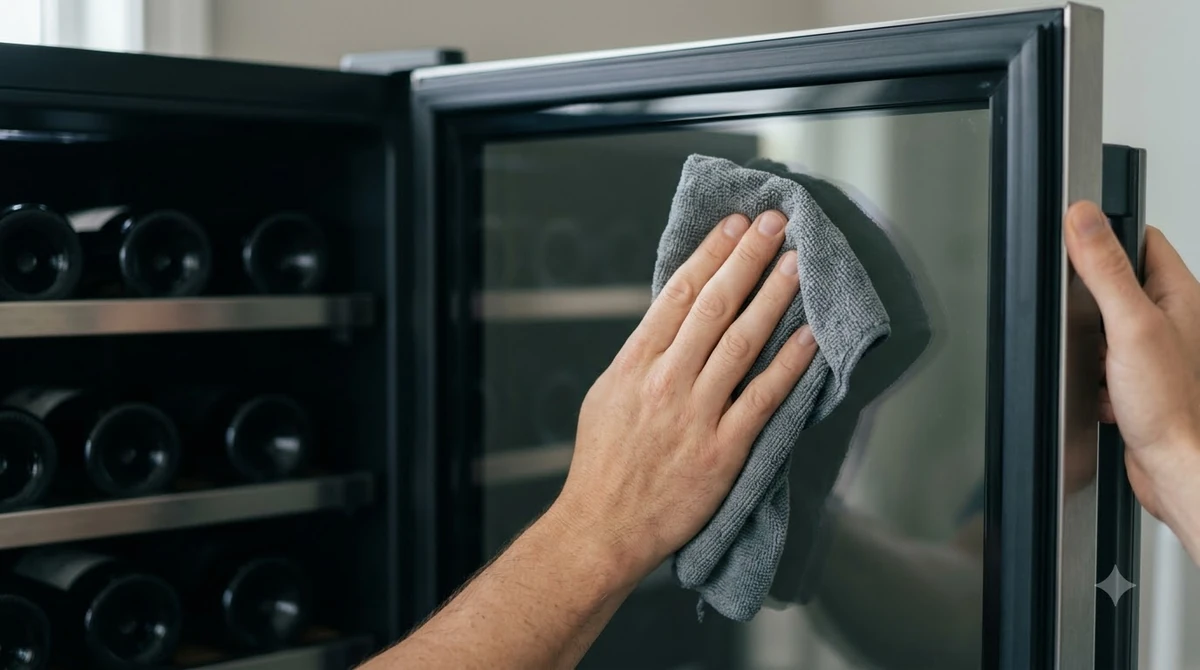
Look at the display and compare the measured cabinet temperature with the selected setpoint. A current Presrv single-zone model, the PRW24C01CG, has a published operating range of 38°F to 65°F; Zephyr lists the same 38°F to 65°F range for each zone on the PRW24C02CG dual-zone model. An earlier PRW24C01BG guide lists a 40°F to 65°F range, which is why a setting shown in one online discussion may not be available on another model. If the requested temperature is below the lower limit for your unit, the cooler cannot reach it.
| Zephyr model | Published range | Configuration |
|---|---|---|
| PRW24C01BG | 40°F–65°F | Earlier single zone |
| PRW24C01CG | 38°F–65°F | Single zone |
| PRW24C02CG | 38°F–65°F per zone | Dual zone |
Check the cabinet with a separate refrigerator thermometer after closing the door and allowing the reading to settle. The display reports the appliance sensor, not necessarily every shelf. Record the setpoint and actual reading; avoid repeated door openings while you monitor the trend.
If the display is blank, confirm that the cord is seated and the outlet works. The PRW24C01CG requires a grounded 115/120-volt AC, 60-Hz supply. Check a tripped household breaker once; if it trips again, or the outlet or cord looks damaged or feels hot, stop and call a qualified electrician. On this model, hold Power for three seconds to turn the unit on or off; after an outage, unplugging, or shutdown, Zephyr specifies a 3-to-5-minute pause before restart. If cooling does not resume, continue checking the controls and airflow rather than repeatedly cycling the power.
Check the Presrv Control Modes
Before assuming a refrigeration failure, check whether the appliance is in Demonstration Mode or Sabbath Mode. These settings affect the compressor, fans, display, and lights differently, and the correct button sequence is model-specific.
Demonstration Mode is especially important when a Zephyr cooler has a lit display but produces no cooling. In the PRW24C01CG guide, Zephyr explains that the compressor and fans never turn on in this mode even though other functions remain available. The “R” compressor indicator slowly blinks while Demonstration Mode is active. To switch it off on this model, hold the Power button and tap the Decrease Temperature button twice; do not assume that sequence applies to every Presrv generation.
After changing the mode, close the door and monitor the temperature. Control sequences can differ between an older single-zone panel and a newer dual-zone model, so do not experiment with button combinations that are not in the matching guide. Sabbath Mode behaves differently: it turns off the display, lights, and alarms while preserving temperature control. On the PRW24C01CG, hold °C/°F for five seconds to toggle it; a dark display alone does not prove that cooling has stopped.
For a reliable reference, use Zephyr’s PRW24C01CG use, care, and installation guide for that exact control panel. It identifies the compressor-running indicator and explains how Demonstration Mode, Sabbath Mode, and the temperature alarm behave. If your model number differs, obtain its matching guide instead of copying a button sequence from another cooler.
Restore Airflow Around the Cabinet
Insufficient ventilation can keep a wine cooler from reaching its set temperature and can cause frequent cycling. Heat sources, blocked vents, crowded storage, and an installation that does not follow the model’s clearance drawing are all worth checking before service.
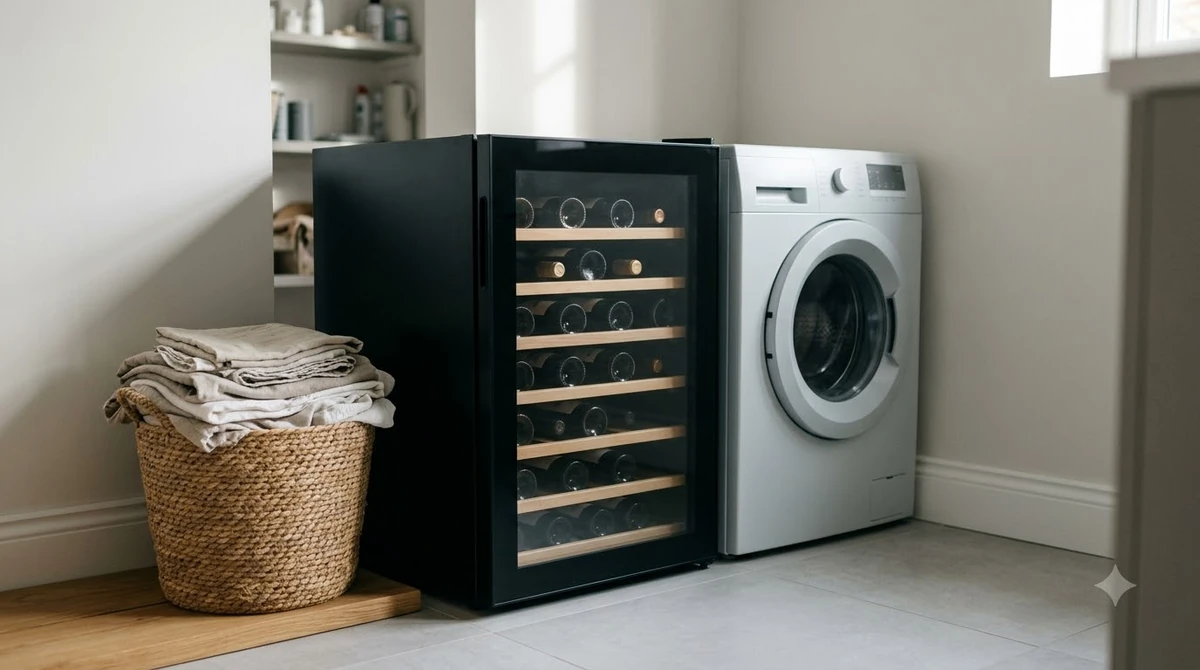
Keep the front grille and every ventilation opening clear of boxes, rugs, cabinet trim, and cleaning cloths. Zephyr lists poor ventilation as a cause of weak cooling and frequent cycling. For the PRW24C01CG under-counter installation, the manufacturer specifies 1 inch behind the unit for the plug, 2 1/4 inches of door clearance beside a wall, and an opening at least 24 inches wide by 34 inches high. This model may be fully built in within the clearances shown, but its vents must remain open and it must be possible to pull it forward for service.
Keep the cooler away from direct sun and heat sources such as an oven or radiator. Check whether trim blocks the grille or a nearby appliance sends heat toward the cabinet; do not put a freestanding model inside a closed cabinet. Overloading can also restrict circulation, so leave space around vents and fan outlets and arrange shelves so oversized bottles do not interfere with the zone divider or door closure. Zephyr’s own troubleshooting chart lists restricted airflow from excessive storage as a cause of poor cooling.
Tip: Take a photo of the model label, control panel, front grille, and installation opening before contacting service. Those four views help identify the correct manual and let the technician distinguish a blocked vent, a mode setting, and a possible internal fault.
Inspect the Door Seal and Bottle Loading
A door that does not close fully allows warm, humid room air to enter and forces the cooling system to work harder. A dirty, displaced, or damaged gasket can create the same symptom even when the door appears shut.
Close the door and check that it meets the cabinet evenly along all four sides. Look for a bottle neck, shelf edge, or package caught between the gasket and frame. Zephyr lists a loose gasket, frequent opening, and a partly open door as causes of weak cooling or repeated cycling. The PRW24C01CG sounds its door alarm after three minutes; if the alarm sounds while the door appears shut, check for an obstruction.
Adding several room-temperature bottles at once creates a temporary heat load, and repeated openings replace cool air with warmer room air. Load in stages when practical, keep bottles in their intended racks, and leave space around fan paths rather than forcing every bottle into a full cabinet.
Clean a dirty gasket as directed in the manual, but do not glue it or reshape it with heat. If it is torn or will not seal after cleaning and correct shelf placement, ask Zephyr about the correct replacement. A misaligned door may need model-specific hinge adjustment; do not bend the door or hinge by force.
Understand Temperature Recovery, Frost, and Cycling
A single warm reading does not always mean the cooler has stopped working. Temperature can rise after a long door opening, warm bottle loading, a power interruption, or a change in room conditions, so look for a sustained trend instead of judging the appliance from one moment.
After correcting a setting or door problem, keep the door shut and track the temperature. Zephyr does not publish one recovery time for every Presrv model and load; room heat and the number of warm bottles affect run time. For comparison, Sub-Zero’s Model 315W use and care guide says that its own unit may need about 24 hours at initial startup or with a full load of room-temperature wine. That is not a Zephyr specification, so follow the temperature trend rather than applying another brand’s timing.
Normal cycling means the compressor does not have to run constantly after the target is reached. Zephyr associates unusually frequent cycling with a hot room, poor door seal, repeated openings, and inadequate ventilation. Correct these conditions first; if cycling continues with the door sealed and vents clear, request a diagnosis.
Humidity and frequent openings can contribute to frost. The PRW24C01CG has automatic defrost, but its guide says manual defrost may sometimes be needed; it suggests a warmer setting, fewer openings, or unplugging the unit to melt frost. Protect the floor from meltwater and never chip ice with a sharp tool or use a heat gun. After an outage, observe the 3-to-5-minute restart delay and keep the door closed; a temperature that will not fall or quickly recurring frost warrants professional diagnosis.
Know When to Stop and Request Professional Service
Stop troubleshooting when the remaining possibilities involve internal electrical parts, the compressor, fans, sensors, wiring, or the sealed refrigerant circuit. A wine cooler combines mains voltage with a refrigeration system, and opening the cabinet or handling refrigerant components is not a safe owner-level repair.
Stop troubleshooting when the remaining possibilities involve internal electrical parts, the compressor, fans, sensors, wiring, or the sealed refrigerant circuit; opening the cabinet or handling refrigerant components is not an owner-level repair. Contact service if the cooler still warms with power restored, the correct setpoint selected, clear vents, a sealed door, and Demonstration Mode disabled. Also request help for scraping fan noise, persistent warnings, recurring frost, or a breaker that trips again. Give the technician the model number, setpoint, actual temperature, symptom duration, and compressor-indicator status.
Review the warranty before booking. The PRW24C01CG warranty lists two years of parts and labor for residential use in the United States and Canada outside Québec, plus five years of compressor parts coverage; commercial terms differ. It requires regular condenser-coil cleaning and adequate airflow, and excludes damage caused by dirty coils, restricted airflow, or improper maintenance. For U.S. service questions, the guide lists 1-888-880-8368. Have proof of purchase, a temperature log, and photos of the model label and installation ready; ask whether diagnosis, parts, and labor are covered before authorizing work.
Independent repair guidance likewise recommends checking power, setpoint, door closure, and clear vents before diagnosing fans, sensors, controls, or a sealed-system fault. The same first checks apply to an Allavino wine fridge not cooling, a Magic Chef wine fridge not cooling, or a Haier wine fridge not cooling, but each brand needs its own manual and service procedure. For broader maintenance topics, see Brand Troubleshooting. Zephyr’s PRW24C02CG literature describes a dual-zone design with multiple temperature sensors and active cooling fans controlled by an onboard computer; its listed range is 38°F to 65°F per zone and its sound level is 39 dBA. These specifications explain why sensor readings and fan activity matter, but internal testing belongs to a qualified technician.
Frequently Asked Questions
These five questions cover model-specific limits, control warnings, ordinary operating sounds, and refrigerant information that can help interpret less obvious symptoms.
Does every Zephyr wine cooler have a 38°F minimum setting?
No. The older PRW24C01BG single-zone guide lists a 40°F to 65°F range, while the PRW24C01CG and PRW24C02CG documentation lists 38°F to 65°F. The PRW24C01BG is also rated for 53 standard 750-mL bottles, a capacity detail that can help distinguish its manual from newer model guides.
What does the HI warning mean on a PRW24C01CG?
Zephyr’s PRW24C01CG manual says the panel displays “HI” when the interior temperature is higher than 73°F (23°C). The audible temperature alarm begins after that high-temperature condition lasts for one hour, so the display is a warning that the cabinet is well above its normal target.
What does the LO warning mean on a PRW24C01CG?
The same guide says “LO” appears when the interior temperature falls below 28°F (-2°C). Its audible alarm sounds after 15 minutes in that condition. Because that reading is far colder than the unit’s normal wine-storage range, follow the model’s troubleshooting instructions and contact service if the warning persists.
Does a gurgling or popping sound always mean the compressor is damaged?
Not necessarily. Zephyr’s Presrv guide describes refrigerant flow as a possible source of rattling or gurgling near the end of a cooling cycle, and says expansion or contraction of interior walls can cause popping and cracking. A new grinding noise, repeated impact, or noise accompanied by loss of cooling deserves a service check.
What refrigerant and electrical supply does the PRW24C02CG use?
Zephyr’s published specification sheet identifies R600a refrigerant and a 115-volt, 60-Hz AC supply with a maximum rating of 1.0 amp for the PRW24C02CG. R600a is part of the sealed cooling system, not a refill item for owners; any refrigerant-circuit work should be handled by an appropriately qualified service professional.
A Zephyr wine cooler that is not cooling should be checked in a consistent order: verify the target temperature and power, rule out Demonstration Mode, restore airflow, and inspect the door seal before arranging service. Keep the model number and temperature readings handy, and use the matching Zephyr manual whenever a control sequence or clearance measurement is involved.
More in Storage & Fridge Care
 How Long Can You Store Wine in a Wine Fridge? Protect Bottle QualityUpdated Nov 20, 2026
 Can You Store Beer in a Wine Fridge? Keep Both Drinks FreshUpdated Nov 20, 2026
 Is It Worth Repairing a Wine Fridge? Spot the Cheap Fixes Before You ReplaceUpdated Nov 20, 2026
 Wine Fridge Condensation: Identify Causes and Fix Moisture ProblemsUpdated Nov 20, 2026
 Wine Fridge Too Cold: Protect Your Wine and Fix the TemperatureUpdated Nov 20, 2026
 How to Reset Wine Fridge: Restore Cooling and SettingsUpdated Nov 20, 2026